
Axonius Release Notes 8.0.8
Release Date: December 28th 2025
These Release Notes contain new features and enhancements added in version 8.0.8.
SaaS Applications New Features and Enhancements
The following new features and enhancements were added to SaaS Applications:
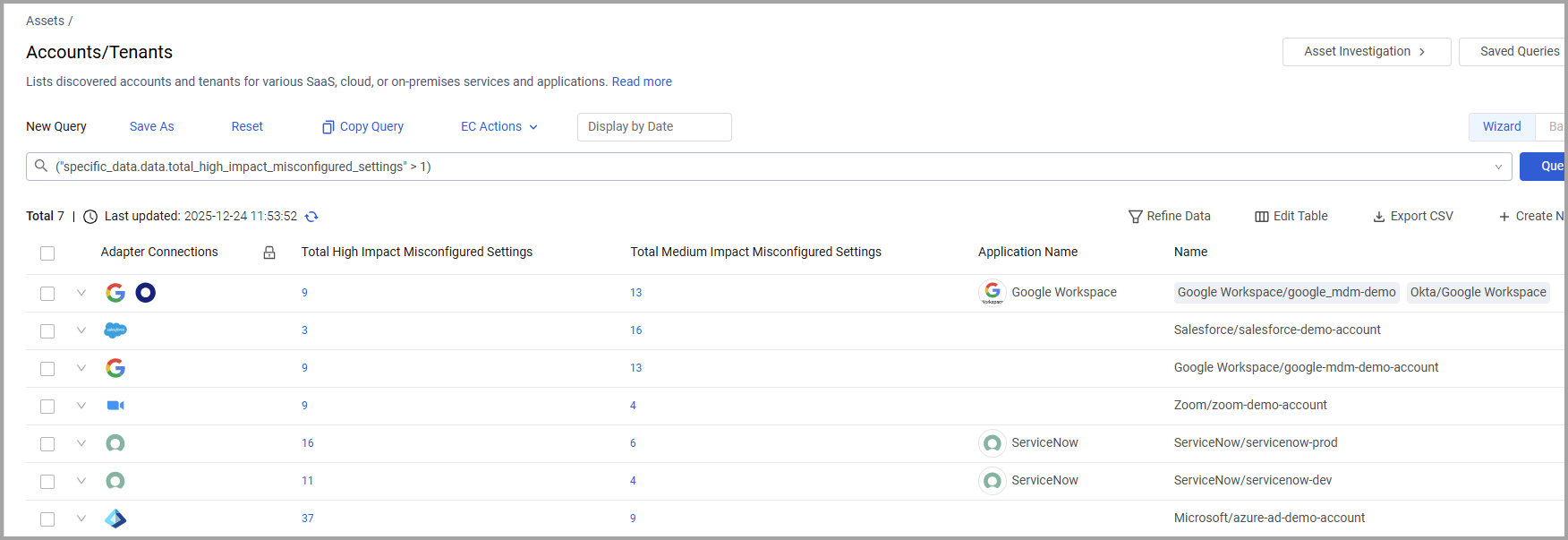
The following new counter fields were added to the SaaS Applications and to the Accounts Asset. When you click the number displayed in these fields Axonius redirects you to the list of SaaS Applications with these misconfigurations.
- Total High Impact Misconfigured Settings
- Total Medium Impact Misconfigured Settings
Axonius Platform New Features and Enhancements
Adapter Pages and Adapter Interface
The following updates were made to the common functionality across all adapters:
Adapter Interface
Editable Text
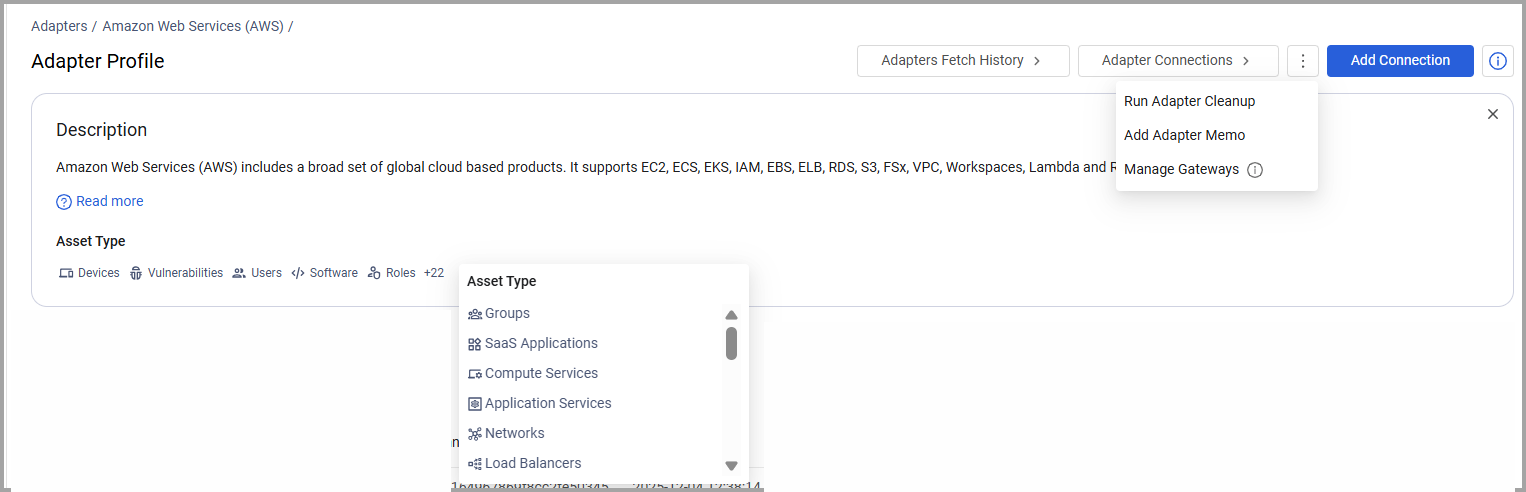
Added the capability to add editable text, a memo, to an adapter. This text is displayed on the Adapter page and on the Adapter Profile page.
- Manage Gateways and Adapter Cleanup were moved to a new 3-dot menu next to the links to Adapter Connections
- Only the first five Asset Types are shown on the Description pane; the rest are displayed when you click a numeral that shows the additional number of asset types
- The description pane can now be closed to free up more space on the page.
Total Assets Fetched
A tooltip was added to ‘Total assets fetched’ on the Adapters Fetch History page, that shows the breakdown of assets fetched according to asset type
System Settings
The following updates were made to various System settings:
LDAP/SAML settings
An option to view the security certificate details was added.
Adapter and Enforcement Action Updates
New Adapters
The following new adapters were added:
- Seismic
- Seismic is a unified AI-powered sales enablement platform that provides customer-facing teams with the skills, content, tools, and insights needed to engage buyers and drive revenue growth. (Fetches: Users, Roles)
- Palo Alto Networks Prisma Access Browser
- Prisma Access Browser is a secure enterprise browser that offers integrated threat prevention, data-loss protection, and zero-trust access for web and SaaS applications on managed or unmanaged devices. (Fetches: Devices, Users)
Adapter Updates
The following adapters were updated:
-
AKAssets - Added a capability to set the environment to production or non production.
-
Backblaze The connection credentials for this adapter were changed to Access Key and Secret Key, and User name and Password.
-
- API V2 of this adapter is now supported.
- Added the option to set a number of minutes to wait for the scenario export
-
GitHub Added an option to fetch Copilot license and metrics information (only for customers with the necessary permissions to fetch Licenses).
-
GitLab Added an option to enrich projects with Security Policies.
-
Jamf Pro - Added an option to parse device hostnames from Extension Attributes.
-
JetBrains Account Management - Added a required Host field in the connection parameters.
-
Microsoft Active Directory (AD) - This adapter now supports connection using HTTPS Proxy.
-
Miro - Added an option to fetch account settings.
-
Oracle NetSuite - Regular expression support for accounts was added.
-
Palo Alto Networks Cortex XDR Added an option to enrich devices with the following information:
- Most recent scheduled tasks
- Browser extensions
- Running Processes
- Recent Loaded Modules
- Recent Kernel Events
-
- Added an option to override which view is being fetched per table.
- Added an option to remove old MAC addresses from the device’s MAC Address field.
- When enabling real-time asset updates, Updated Users events are also supported now (in addition to New Users and New Tickets events).
-
Shodan - Added the option to parse Devices as URLs & Domains.
-
SolarWinds Network Performance Monitor - Added the option to parse the WiFi name as the Host Name.
-
Sysdig - Secure - added options to enrich devices with container software and vulnerabilities.
-
Zscaler Client Connector - Added the ability to fetch application settings.
Updated Enforcement Actions
The following Enforcement Actions were updated:
- Jira Service Management - Create Insight Asset per Asset and Jira Service Management - Remove Insight Asset - The name of the Jira Cloud Workspace ID field was changed to Target Jira Cloud Workspace ID, representing the Jira Workspace ID where assets are created or updated.