
Axonius Release Notes 8.0.13
Release Date: February 1st 2026
These Release Notes contain new features and enhancements added in version 8.0.13.
Exposures New Features and Enhancements
The following new features and enhancements were added to Exposures:
Exception Management - Manual Asset Selection
Users can now create an Exception request for assets selected directly from the Vulnerability Instances page, without navigating to the Exception Management dedicated page. They can select one or multiple (up to 1000) Vulnerability Instances and click Create Exception. This opens the Create Exception drawer, where all Exception details are defined. After the Exception request is created, it is listed on the Exception Management page.

Axonius Platform New Features and Enhancements
Dashboard
The following new features and enhancements were added to the Dashboards:
Chart Enhancements
New Pivot Chart Date Formats
Added support for new date/time formats in date fields within the Pivot Chart. Use these formats via the edit button next to the field. They can all be seen next to each relevant field.
- Two formats moved from Hour to Hour of day. Any existing charts using these formats (aggregated by hour) should be changed to use this time format: MMM, D, YYYY hh:mm AM/PM .
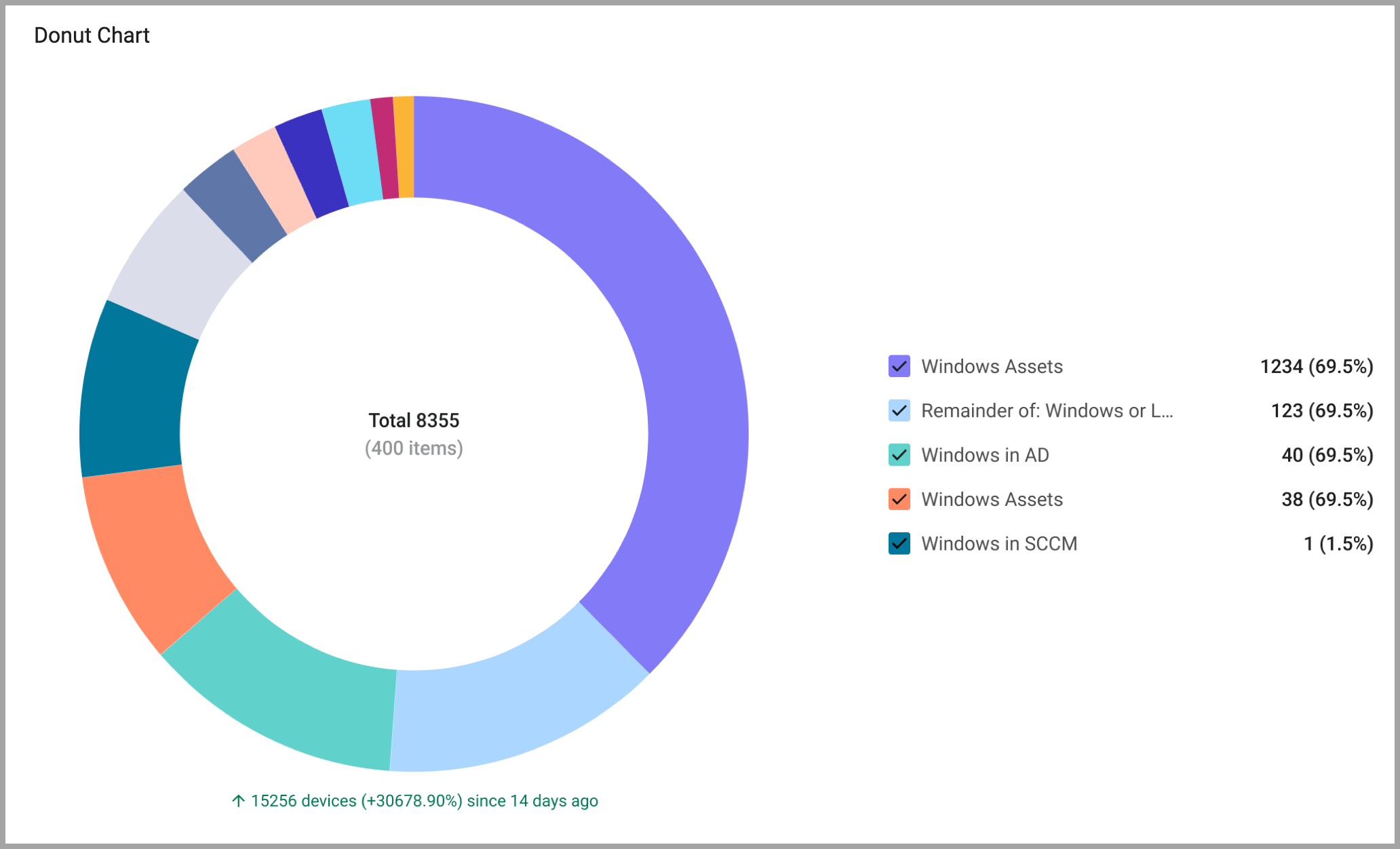
New Donut Visualization
The capability has been added to create a Donut chart visualization for the following chart types:
Assets Pages
The following features were added to all assets pages:
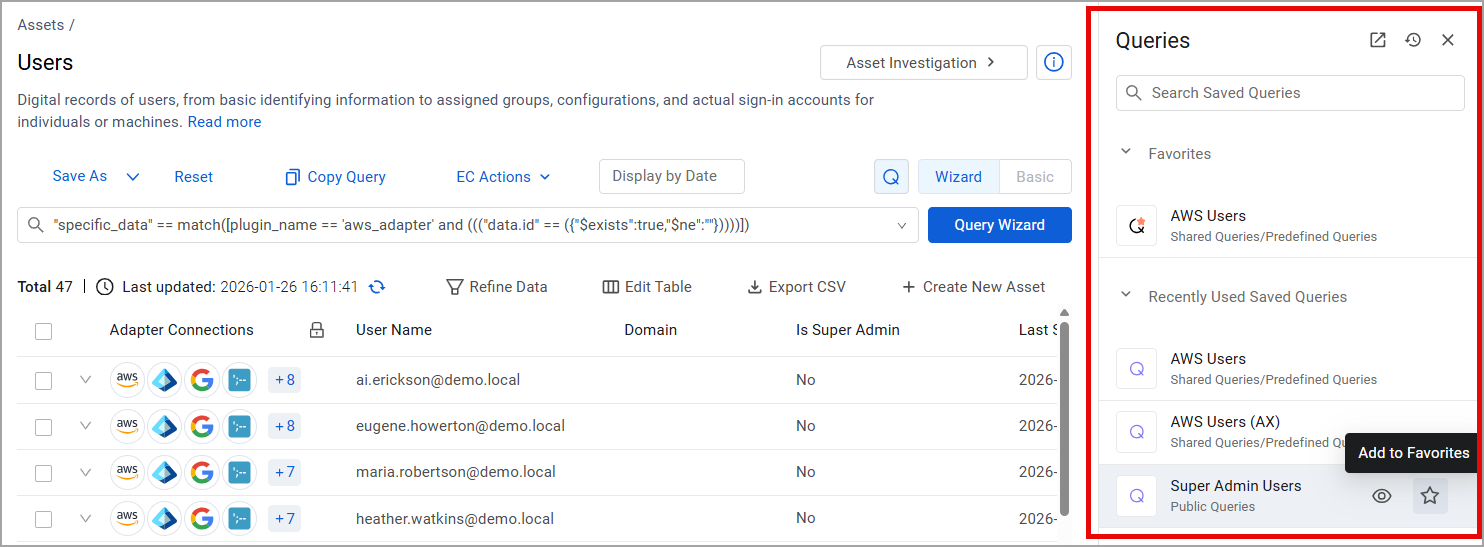
Direct Access to Saved Queries from any Assets Page
We’ve enhanced how you work with Saved Queries directly from the Assets page, so you can stay focused and move faster. Users can now:
- Search asset-specific Saved Queries directly from the Assets page - no need to switch to the Queries page and lose your place.
- Pin frequently used queries, to keep their most important queries at the top of the list for instant access.
- View and rerun recently executed queries (including unsaved queries).
- View query details without leaving the Assets page, or jump to the Queries page for deeper investigation.
Enforcement Actions
Import/Export of Enforcement Actions
Enforcement Actions can now be imported and exported to share them across environments. The Enforcement Actions is exported in JSON format, including the complete definition of all nodes. One Enforcement Action can be imported or exported at a time. Sensitive information and credentials are not included in the export and will need to be re-entered after import.
Cases
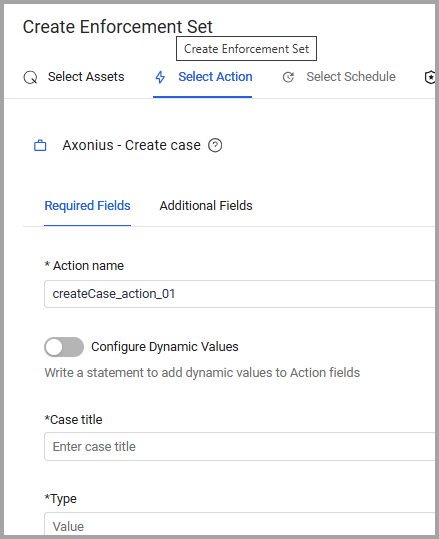
Case Management It is now possible to create a case for a specific list of assets directly from the assets page, rather than a complete query result. Users can select the assets and then use Enforce > Create Enforcement to select the "Create Case" enforcement action directly from the assets page.
Editing Columns
In the Case Management table view it is now possible to edit the table columns, move their positions and remove/re-add columns as in other Axonius tables.
Case Sets: Ticket-Level Automation
A new condition was added to the Case Set wizard that triggers automated actions at the Asset, Ticket, or Case level as soon as the system identifies that all assets of a case are resolved.
System Settings
The following updates were made to various System settings:
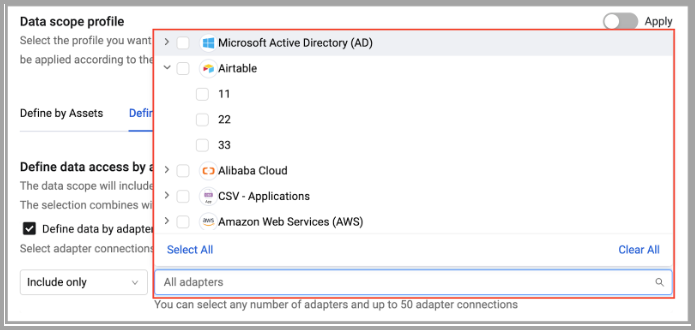
Define a Data Scope by Adapter - Updated Adapter Connection Selection
When defining a data scope by adapter, users can select how to specify what adapter connections are included in the data scope:
-
Include only - Select the adapter connections whose assets you want included in the data scope. All assets from these adapters and connections will be used in the data scope, regardless if they were or were not found by other adapters.
-
Include all but - Select adapter connections you do not want to use, all other connections will be used, even if they find assets from the selected connections.
-
Exclude- Selecting adapters and connections to be excluded. Even if they are found by other connections, they will not be part of the data scope.
Then select adapters and/or adapter connections.
Custom Data Management
It is now possible to create custom data with Multiple-Select fields.
Central Core
Users can now select a Gateway in the Central Core settings. When a Gateway is selected, all backup/restore operations will route through it, allowing access to storage providers that are only accessible through the Gateway.
Users can select a gateway both in the Global Settings > Central Core and in the Export Assets to External Axonius Enforcement Action.
Adapter and Enforcement Action Updates
New Adapters
The following new adapters were added:
- Delinea Privileged Remote Access
- Delinea Platform is a privileged access management solution that offers centralized identity security controls to define, authorize, and audit access to sensitive data and critical infrastructure resources. (Fetches: Devices, Activities.)
Adapter Updates
The following adapters were updated:
- Check Point Infinity - Added authentication using the Infinity Portal.
- Cisco Catalyst Center (formerly Cisco DNA Center) - Added the capability to add more than one Client Details report.
- EfficientIP SOLIDserver DDI -
- Added the option to set the page size of the request for the adapter.
- Fetch DHCP scopes advanced setting is now a drop-down selection.
- Island - An advanced configuration was added to enrich devices with installed extensions.
- New Relic - It is now possible to configure the adapter to segregate assets based on their asset type, rather than display them all as devices.
- Ninja One (RMM) - Added an option to fetch Windows Services.
- OpsRamp - Added an option to Prefer Cisco IOS Over Apple iOS.
- Palo Alto Networks Cortex XDR - Added the option to search within a specific timeframe for all XQL queries.
- Rapid7 InsightVM - Added the option to enable granular heavy fields. When this is enabled, users can select the heavy fields they want to ingest and populate.
- Snowflake Data Warehouse - Added Database Custom Parsing to this adapter.
- Trend Micro Vision One
- Added option to enrich devices with Processes.
- Added option to fetch last logons.