---
updatedAt: 2026-10-13T14:48:34.000Z
agentTools:
projectIndex: https://docs.axonius.com/llms.txt
---
# Bently Nevada
Bently Nevada is a condition monitoring system that provides asset protection and predictive maintenance solutions.
This adapter uploads XML and TXT files.
### Asset Types Fetched
* Devices
### Connecting the Adapter in Axonius
The adapter parameters are the same as the [CSV adapter parameters](https://docs.axonius.com/axonius-help-docs/docs/csv), except for the following parameters:
* **File contains users information**, **File contains installed software information**, and **File contains database information** - These fields are not part of the adapter configuration, as the adapter provides devices data only, without any information on the installed software.
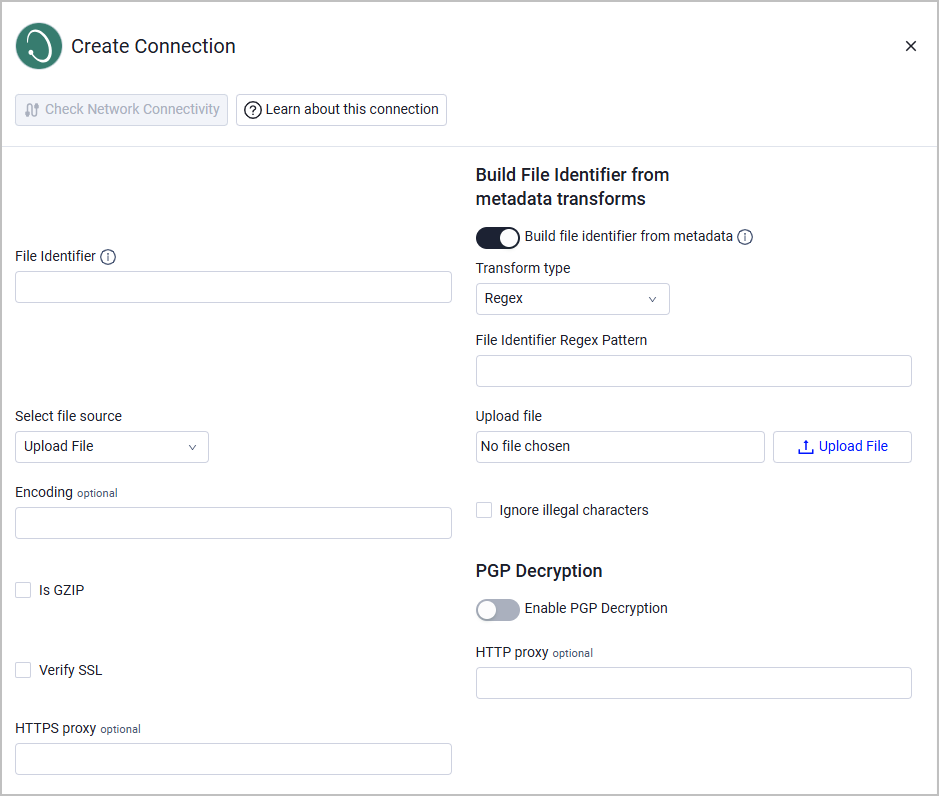
* **Build file identifier from metadata** - Enable this to derive the file identifier is from source metadata (path, file name, blob key, etc.) rather than the static **File Identifier** field.
**Note**
This setting is relevant only when the [File Source](https://docs.axonius.com/axonius-help-docs/docs/file-sources) is SMB Share.
When this is enable, the following parameters are required:
* **Transform type** - Regex is the only option.
* **File Identifier Regex Pattern** - Enter a regular expression to apply to the resolved file identifier, for example, `(.+)\.txt`.
* If the pattern contains a capture group `()`, the first capture group is used as the file identifier.
* If no capture group exists, the full match is used.
* Invalid patterns or no-match scenarios are silently ignored.
**Attention**
The **Build file identifier from metadata** setting should only be enabled in rare, special cases when the file identifier needs to be derived from source metadata rather than the static **File Identifier** field. For most use cases, the standard **File Identifier** field is the recommended approach.
Here are some examples for special use cases when this setting is recommended:
- File identifiers are embedded in file paths or file names from the source system
- Multiple files share the same logical identifier but have different metadata
- The source system does not provide a static identifier that works for your use case
**Example Configuration** - Extract a device name from the following file path: `/data/devices/device123.txt`
1. Enable **Build file identifier from metadata:**.
2. Set `Regex` as the **Transform type** (default).
3. For **File Identifier Regex Pattern**, enter `([^/]+)\.txt$`.
4. **Result:** The file identifier would be `device123` instead of the static **File Identifier** field value.
#### Supported From Version
Supported from Axonius version 6.1.65
## Advanced Settings
Note
Advanced settings can either apply to all connections for this adapter, or to a specific connection. Refer to [Advanced Configuration for Adapters](https://docs.axonius.com/axonius-help-docs/docs/advanced-configuration-for-adapters).
1. **Fetch Devices of sub type xml\_device from Devices from XML** - Select this option to fetch devices of the subtype 'xml\_device' from the Devices endpoint from XML.
2. **Fetch Devices of sub type txt\_device from Devices from TXT** - Select this option to fetch devices of the subtype 'txt\_device' from the Devices endpoint from TXT.
Note
To learn more about **Adapter Configuration** tab advanced settings, see [Adapter Advanced Settings](https://docs.axonius.com/axonius-help-docs/docs/advanced-settings).